How to Send Crypto Assets
You can send crypto assets that you have on Pintu to other wallets. The methods for sending crypto assets are differed based on the destination wallet, below are the steps to send crypto assets.
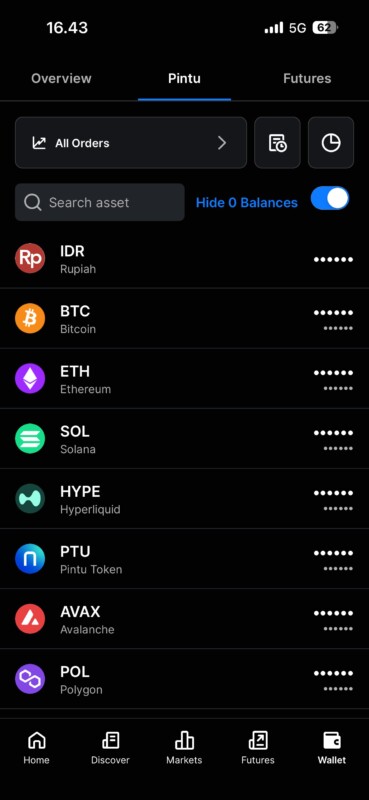
Step 1 – Open the wallet of the crypto asset that you want to send
Tap the Wallet menu at the bottom of the screen, then choose the crypto asset you want to send.
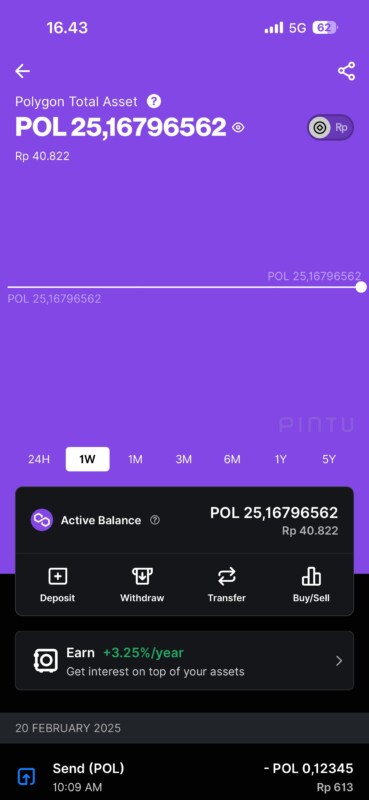
Step 2 – Go to the Withdraw menu
On the wallet page of the crypto asset you’re about to send, tap Withdraw.
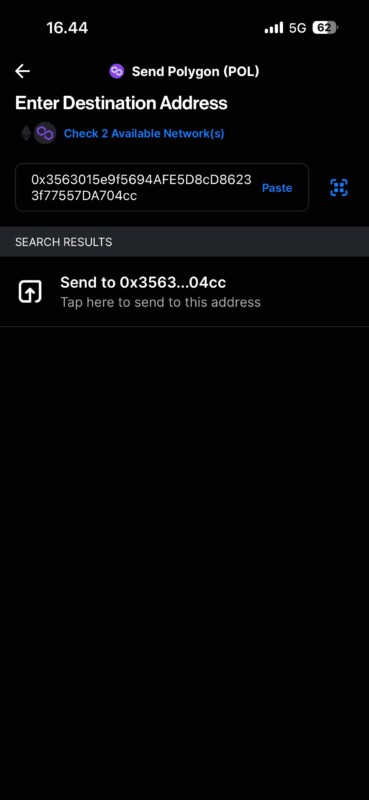
Step 3 – Input the recipient’s username/wallet address
To send crypto assets to fellow Pintu users, you can input their Pintu account username. To send crypto assets via blockchain network, you can input the recipient’s wallet address.
As an alternative, you can send crypto assets to a wallet address that’s already been saved in the addressbook. You can also send crypto assets to the addresses that you recently used as a destination.
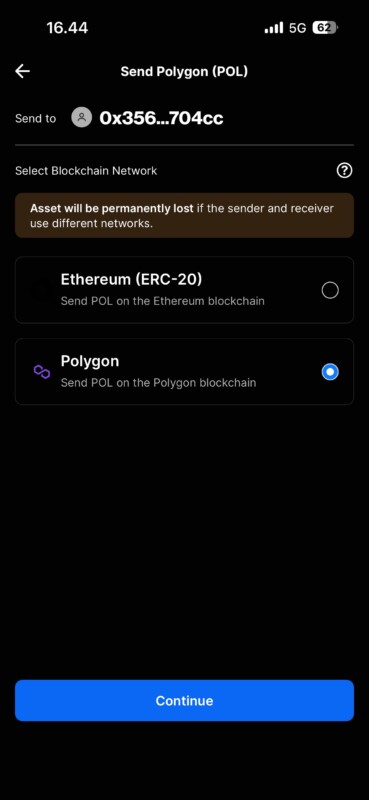
Step 4 – Select Network
After that, choose the appropriate Blockchain Network. Note: Crypto assets can potentially be permanently lost if the sender and receiver use different networks.
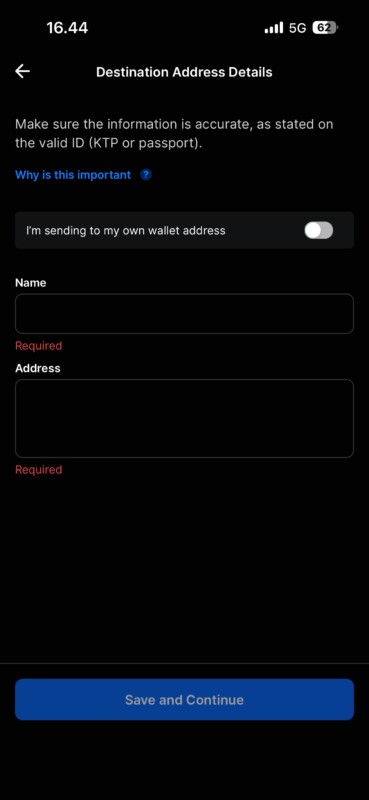
Step 5 – Destination Address Details
After selecting the blockchain network, you will proceed to the destination address details page. Fill in the recipient’s name and address exactly as they appear on their National ID card (KTP) or Passport.
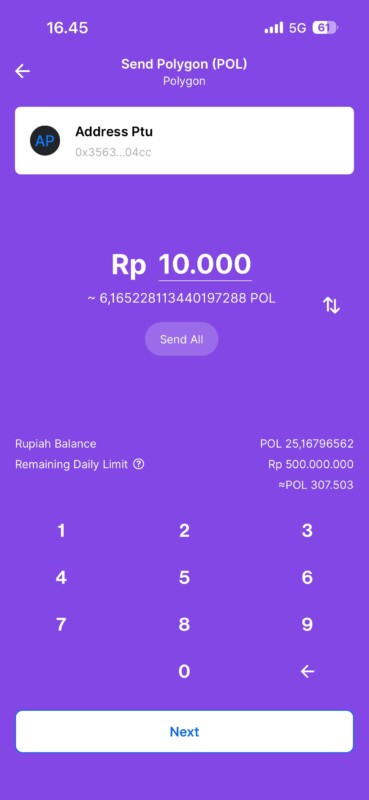
Step 6 – Enter the amount of crypto to send
Enter the amount of crypto you want to send. You can input the amount in either Rupiah or the crypto asset being sent. To do this, tap the arrow button located on the right side of the transfer amount field. Pintu will calculate the value of the crypto asset based on the price at the time of the transaction.
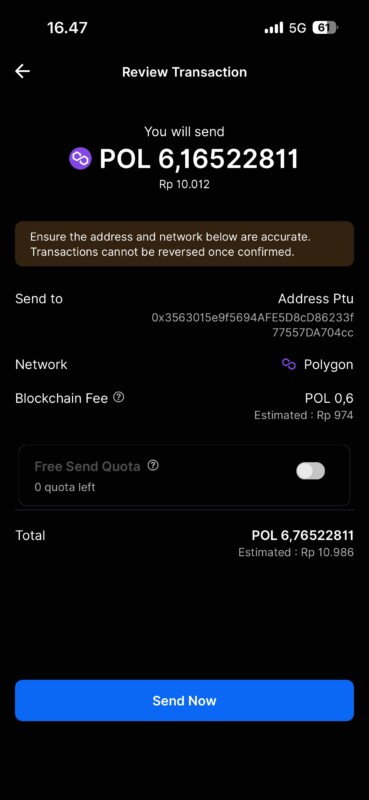
Step 7 – Confirm transfer
Double-check the details of the transfer you are about to make, as crypto transactions cannot be canceled. If all details are correct, confirm the transaction by tapping the Send Now button. We will send a notification once the transfer is successful.
Catatan:
- Sending crypto assets to fellow Pintu users is free of charge.
- Sending crypto assets to the blockchain will be charged with a blockchain fee. Blockchain fees are not paid to Pintu, but to blockchain miners.
- You can find the transaction hash on the Transaction Details page.
- Make sure you input the destination address correctly, including the MEMO if needed.
- To transfer crypto assets beyond Pintu’s platform, you must complete the Travel Rule data
- More information about FATF Travel Rule on Pintu can be accessed on What is the FATF Travel Rule and How does the FATF Travel Rule applied on Pintu app